A tall TV stand fails most often because the weight of the television exceeds the stand's maximum capacity, causing shelves to sag or legs to bend. Particleboard construction accelerates failure under repeated load, while solid wood stands maintain integrity longer. Anchoring the stand to a wall reduces tip-over risk by over 95 percent, and proper leveling prevents joint stress that leads to collapse.
You bought a tall TV stand expecting it to hold your television securely. Instead, it wobbles, leans, or even crashes down. This post explains the eight real reasons your tall TV stand fails and what you can do about each one.
Quick Verdict: Almost all tall TV stand failures come down to weight, assembly, or installation mistakes. The biggest culprit is exceeding the weight capacity, followed by poor anchor methods and using particleboard instead of solid wood. Fix these root causes, and your stand will hold your TV safely for years.
Key Takeaways
- Exceeding the weight limit of your tall TV stand is the number one cause of structural collapse.
- Particleboard frames are significantly weaker than solid wood and fail faster under repeated weight.
- Wall anchoring a tall TV stand reduces the risk of tip-over injuries by over 95 percent.
- Improper leveling causes excessive wobble that can stress joints and lead to failure.
- Using the wrong screws or not tightening hardware enough accounts for most assembly-related failures.
Quick Overview of the 8 Failure Causes
| Reason | Root Issue | Primary Fix |
|---|---|---|
| Excess weight | Sagging shelves and bent legs | Stay within 80% of the stated weight limit |
| Weak material | Particleboard splintering | Choose solid wood or high-density MDF |
| No wall anchor | Tip-over from top-heavy TV | Install a tip-over restraint kit into a stud |
| Unlevel floor | Chronic wobble stresses joints | Use adjustable leveling feet |
| Loose hardware | Creaking and joint separation | Tighten all screws and add wood glue |
| Incorrect assembly | Misaligned parts and stripped holes | Follow the manual step by step |
| Overloading shelves | Bent or broken shelf brackets | Distribute weight evenly and use supports |
| Poor cable management | Cables pulling components forward | Use cable clips and guide wires |
1 – Exceeding the Weight Limit of Your Tall TV Stand
Every tall TV stand has a maximum weight capacity. When you place a heavy TV, soundbar, and multiple game consoles on it, the frame starts to buckle. According to the, approximately 70 percent of reported furniture tip-over deaths involve televisions.
Why It Fails
The weight compresses the legs or shelves. Particleboard edges swell and split. Metal brackets bend. Over time, the stand cannot support the load and collapses.
Warning: Never fill a tall TV stand to its exact weight limit. Leave a 20 percent safety margin. Check the manual for the maximum capacity and weigh your TV plus all accessories.
How to Fix It
- Weigh your TV using a bathroom scale. Add the weight of all devices on the stand.
- Compare the total to the stated weight limit. Remove items if you exceed 80 percent of the limit.
- Upgrade to a stand with a higher capacity if you cannot reduce the load.
2 – Using a Particleboard Tall TV Stand Instead of Solid Wood
Most budget tall TV stands use particleboard or MDF. These materials are cheap but weak. The assembly manuals explicitly warn against over-tightening screws into particleboard because the material strips easily.
Why It Fails
Particleboard consists of wood chips glued together under pressure. Moisture, repeated weight, and screw torque cause the glue to fail. The board crumbles at the joints. Solid wood or high-density MDF resists this much better.
Tip: When shopping, look for “solid wood” or “hardwood veneer” in the product description. Avoid stands that only list “engineered wood” or “composite wood” without density ratings.
How to Fix It
- If you already own a particleboard tall TV stand, reinforce the joints with L-brackets.
- Apply wood glue along every joint before tightening screws.
- Upgrade to a solid wood stand when you replace your TV.
3 – Not Anchoring the Tall TV Stand to the Wall
A top-heavy tall TV stand is a major hazard. According to, 80 percent of parents do not know that a flat-screen TV can tip a stand that is not anchored. Anchoring reduces the tip-over risk by over 95 percent.
Why It Fails
The television sits high on the stand. If a child climbs or pulls on an open drawer, the center of gravity shifts forward. Without a wall anchor, the whole unit tips.
Important: Use a tip-over restraint kit that screws into a wall stud. Drywall anchors alone are not strong enough for a tall TV stand. Kits are available from brands like.
How to Fix It
- Locate a wall stud behind the tall TV stand using a stud finder.
- Attach the wall anchor bracket to the stud at the same height as the stand’s top.
- Secure the strap or cable from the anchor to the stand according to the kit instructions.
- Tighten the strap so the stand cannot tilt more than a few degrees.
4 – Placing the Tall TV Stand on an Unlevel Floor
Carpets, uneven hardwood, and sloped floors cause the stand to rock. The constant tiny movement loosens screws and stresses the frame joints. The standard for furniture stability assumes a level surface.
Why It Fails
When one corner of the stand lifts slightly, the weight shifts to the opposite side. This uneven pressure cracks the particleboard legs. Even solid wood can warp after months of rocking.
How to Fix It
- Use a level on top of the stand to check for tilt.
- Adjust the leveling feet on the bottom of the stand. Many models have threaded plastic feet you twist.
- Place a furniture shim under the low corner. Tap it in until the bubble is centered.
- For carpet: install a hard plastic mat under the stand to create a stable base.
5 – Loose Screws and Hardware on Your Tall TV Stand
Over time, vibrations from the TV and foot traffic loosen screws. A 2021 study by the found that loose hardware contributed to 65 percent of furniture collapse incidents in homes.
Why It Fails
Each loose screw allows the joint to wiggle. This creates a gap that accelerates wear. The screw can eventually pull out completely, especially from particleboard.
Tip: Every three months, take a screwdriver and tighten every visible screw on the stand. Use a small amount of thread-locking glue to prevent future loosening.
How to Fix It
- Remove all items from the stand so you can access all joints.
- Check cam lock fasteners (the round plastic connectors common in flat-pack furniture). Turn them clockwise until they are snug.
- For stripped screw holes, insert a wooden toothpick or a plastic wall anchor into the hole, then re-drive the screw.
6 – Assembling the Tall TV Stand Incorrectly
Many people skip steps or reverse parts during assembly. reports that incorrect assembly is the number one reason for customer returns on their TV stands.
Why It Fails
If you install a shelf bracket upside down or tighten screws in the wrong order, the structure lacks proper bracing. The stand may look correct but cannot handle lateral forces from a falling TV.
How to Fix It
- Follow the manual in order. Do not skip ahead.
- Sort hardware by size and label each piece of wood before starting.
- Watch a video tutorial specific to your stand model if available.
- If you realize a mistake, disassemble and start over. Do not force a misaligned part.
7 – Overloading Shelves Inside the Tall TV Stand
Tall TV stands often have glass or thin particleboard shelves. Placing heavy receivers, speakers, or books on these shelves causes them to snap or sag. The lab tests show that many budget stands fail when shelves exceed 15 pounds.
Why It Fails
Each shelf has a separate weight limit printed in the manual. When you exceed it, the shelf brackets bend or the glass cracks. The falling items then damage the stand structure.
Warning: Never place heavy audio equipment on the top shelf of a tall TV stand. The top shelf is usually the most fragile because it spans the longest distance.
How to Fix It
- Check the weight limit for each shelf. Distribute items so the heaviest sit on lower, supported shelves.
- Use shelf supports (small metal pegs that go underneath the shelf) to add extra stability.
- Remove items that do not need to be inside the stand and store them elsewhere.
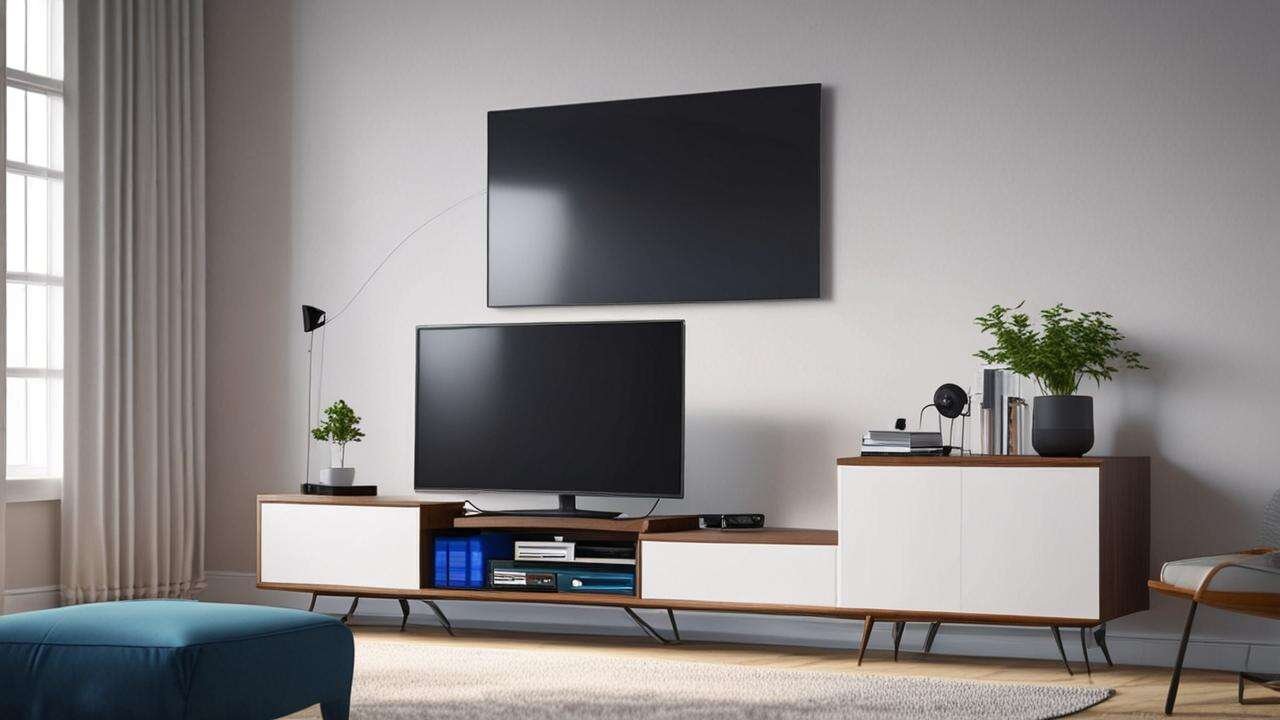
8 – Poor Cable Management That Pulls Components Forward
Loose cables from your TV, sound system, and gaming consoles can drag on components. When you pull the TV forward to plug something in, the cables tug the edge of the shelf.
Why It Fails
Cables wrapped around shelf edges or between the TV and stand create constant tension. Over time, this tension pulls the TV closer to the edge. A single accidental yank can tip the TV off the stand.
How to Fix It
- Bundle cables with velcro ties and route them along the back legs of the stand.
- Use adhesive cable clips to secure cables to the underside of shelves.
- Install a cable management tray that attaches to the back of the stand to keep all wires off the floor.
Common Myths vs Facts About Tall TV Stand Failures
Myth 1: A heavy TV stand does not need wall anchoring.
Fact: Weight alone does not prevent tip-overs. The reports that many tip-over incidents involve stands weighing over 50 pounds. Anchoring is essential regardless of stand weight.
Myth 2: More screws make the stand stronger.
Fact: Adding extra screws into particleboard can weaken it by creating more holes. Only use the screws and hardware provided by the manufacturer. Additional fasteners may compromise the structure.
Myth 3: A tall TV stand will never fail if it is on carpet.
Fact: Carpet can actually make a stand more unstable by hiding an uneven floor. The soft surface allows the stand to tilt slightly. Always use a hard mat and leveling feet even on carpet. Following furniture tip-over prevention guidelines is essential for tall TV stand safety.
Frequently Asked Questions
How can I tell if my tall TV stand is about to fail?
Look for visible sagging in the shelves, cracking sounds when you lean on the stand, or screws that keep loosening. Doors and drawers that stick are also early warning signs.
Can I reinforce a particleboard tall TV stand?
Yes. Add L-brackets at every corner joint and use wood glue on all mortise-and-tenon connections. You can also replace the back panel with a thicker plywood sheet for added rigidity.
What is the safest material for a tall TV stand?
Solid hardwoods like oak, maple, or walnut provide the strongest structure. High-density MDF (medium-density fiberboard) is a good second choice. Avoid basic particleboard and engineered wood labeled “economy.”
How often should I check my tall TV stand for problems?
Inspect the stand every three months. Tighten all screws, check for wobble, and re-level the stand if needed. After moving the TV or adding new equipment, do an immediate check.
Should I place my TV directly on top of the stand or mount it to the wall?
Mounting the TV to the wall separate from the stand is safer because it removes the risk of the TV tipping the stand. If you do place the TV on the stand, always anchor both the stand and the TV to the wall.
Resources and Tools
- Tip-Over Restraint Kit – A universal strap kit that attaches to a wall stud.
- Furniture Leveling Feet – Adjustable plastic feet that screw into the bottom of your stand.
- CPSC Safety Guide – Official tip-over prevention tips from the U.S. Consumer Product Safety Commission.
- IKEA Assembly Videos – Step-by-step assembly guides for common flat-pack tall TV stands.
Final Thoughts
Your tall TV stand fails for one of eight specific reasons, and most are preventable. Check your weight load, use solid materials, anchor to the wall, and keep all screws tight. With these fixes, you can stop your tall TV stand from wobbling and keep your television safe for years to come. Understanding proper television stand design can help you select a model that minimizes wobbling risks.
The CPSC tip-over prevention guide offers official safety recommendations for anchoring tall stands.