
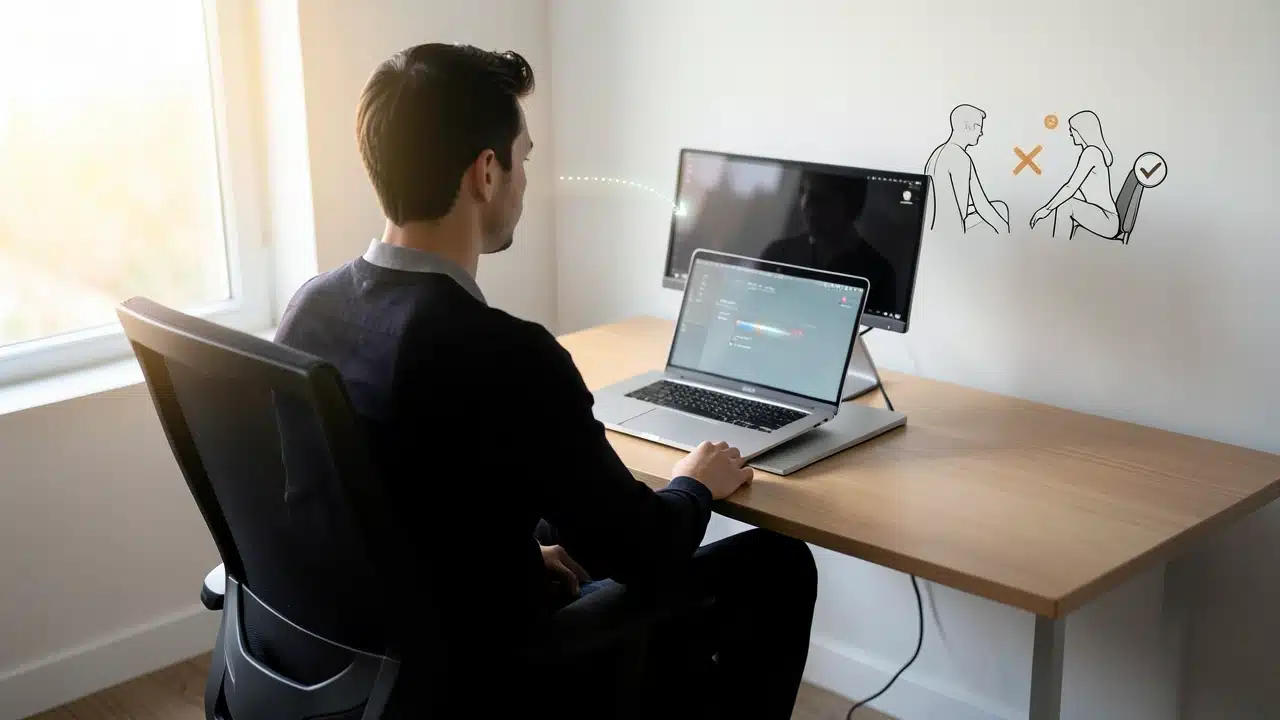
A laptop stand can reduce neck pain when it raises the screen so the top of the display sits at or slightly below eye level, keeping the head in a neutral position. For proper alignment, pair the stand with a separate keyboard and mouse so the keyboard rests near elbow height, positioning the screen 15 to 30 degrees higher than the laptop's original angle. Without separate controls, raising the laptop alone can transfer strain to the shoulders and wrists, meaning the stand is most effective when screen height and input device placement are adjusted together.
A laptop stand can reduce neck pain if it raises the screen to a neutral viewing height and you use a separate keyboard and mouse.
The top of the screen should sit at about eye level, or slightly below, with the keyboard near elbow height. Without separate controls, the stand may shift strain to shoulders and wrists.
Many people spend hours each day looking down at their laptops, and this often leads to uncomfortable neck and shoulder pain.
You might be wondering, Does a Laptop Stand Really Reduce Neck Pain and How High Should It Go? The answer is a resounding yes, and understanding how to use one properly can make a big difference in your daily comfort and long-term health.
Getting this right means you can work for longer periods without that nagging ache and improve your posture.
We’ll cover how these stands work, the best heights to aim for, and what to look for when choosing one.
Key Takeaways
- Laptop stands can significantly help reduce neck pain by improving posture.
- The ideal height for a laptop stand aligns the top of your screen with eye level.
- Different types of stands offer various benefits for comfort and portability.
- Adjustability is key to finding the perfect ergonomic setup for your needs.
- Using a laptop stand can also improve airflow, keeping your device cooler.
How Laptop Stands Help Your Neck
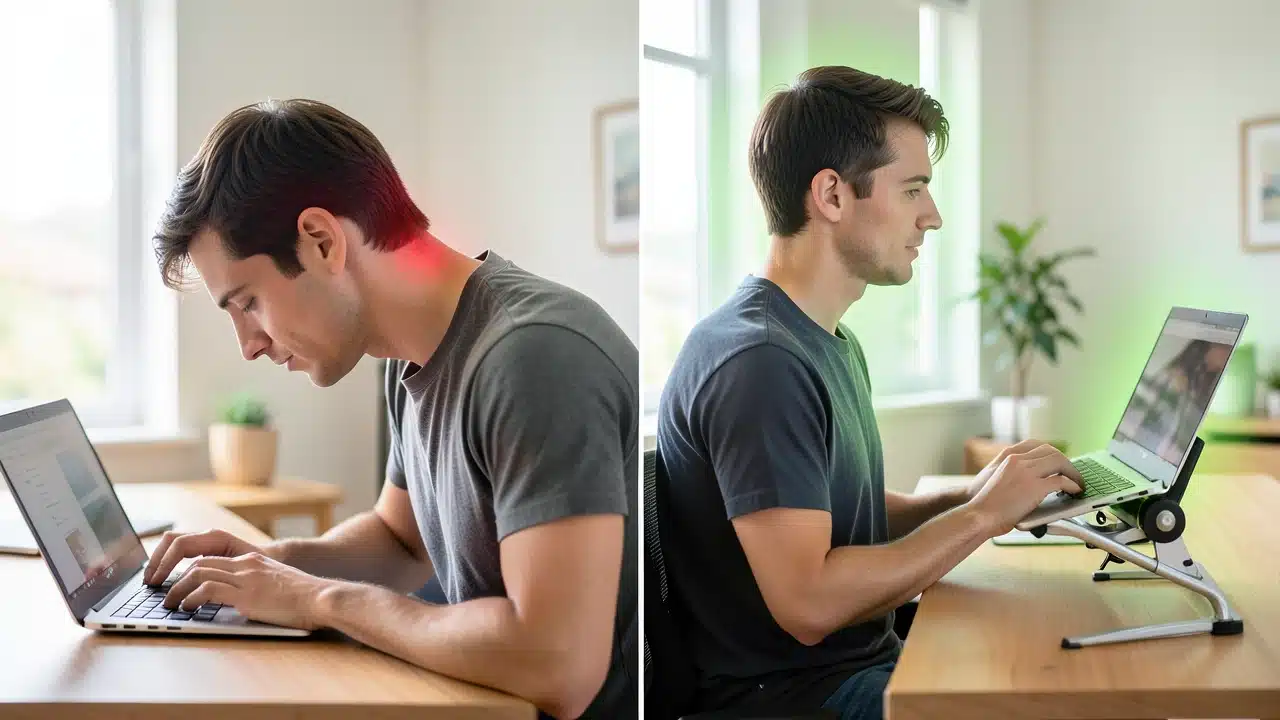
When you use a laptop without a stand, your head tends to tilt forward. This posture puts a lot of strain on your neck muscles and spine.
Imagine holding a bowling ball out in front of you with your arms extended – that’s similar to the weight your neck muscles are supporting when you hunch over a laptop.
A laptop stand lifts your screen up. This simple change encourages you to sit or stand straighter. It brings the screen closer to your natural line of sight.
This helps to realign your head, neck, and spine. So, Does a Laptop Stand Really Reduce Neck Pain and How High Should It Go? Yes, by correcting that forward head posture.
The main goal is to avoid that downward gaze. When your screen is too low, you crane your neck to see it. This is a primary cause of tech neck.
Tech neck is a modern ailment that many office workers and students experience. It’s characterized by pain in the neck, shoulders, and upper back. It can even lead to headaches.
A laptop stand acts as a simple but effective tool to combat this. It’s about making your workspace work for you, not against your body.
Finding the Right Height for Comfort
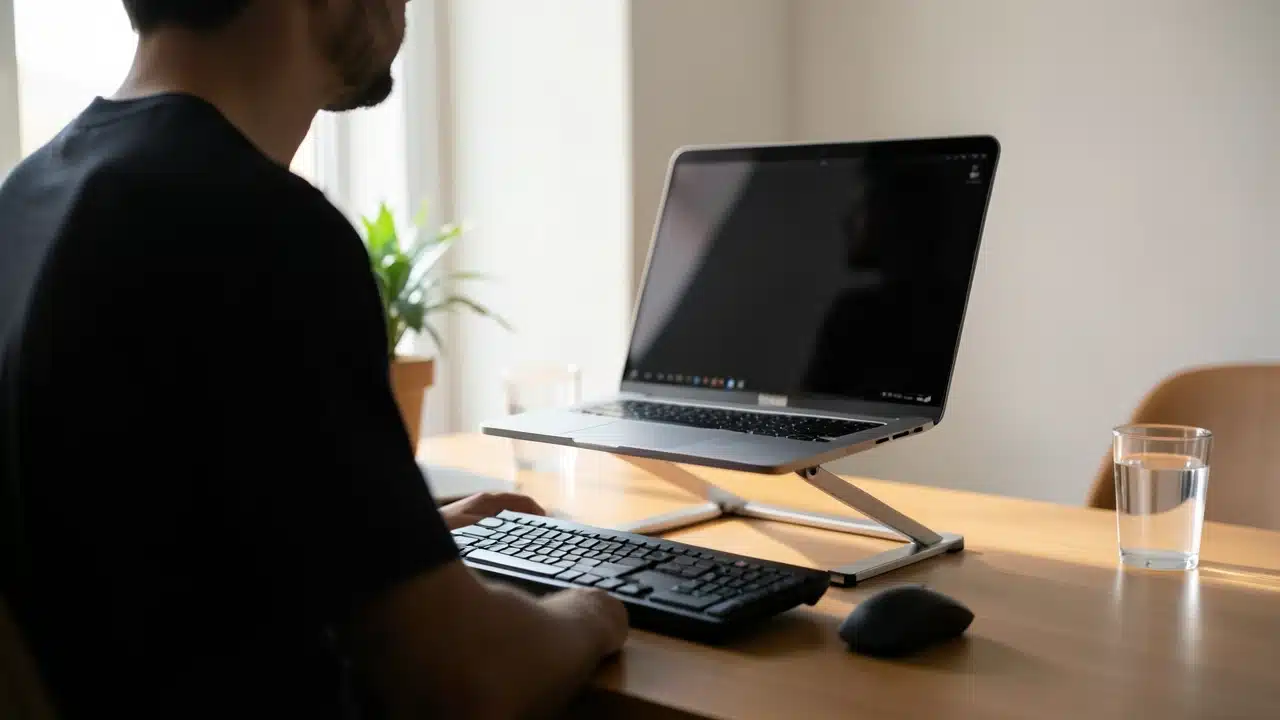
So, Does a Laptop Stand Really Reduce Neck Pain and How High Should It Go? The ideal height is generally when the top of your laptop screen is at or slightly below eye level.
This allows you to look straight ahead at your screen without tilting your head down. You shouldn’t have to look up or down significantly.
Your eyes should be able to rest comfortably on the center of the screen. This position minimizes strain on your neck and shoulders.
Think about how you naturally look at a monitor on a desk. It’s usually positioned so you can look straight ahead. A laptop, by its design, is meant to be closed and portable.
This often means the screen is much lower than a desktop monitor. Using a laptop stand brings it up to a more ergonomic level. The exact height will depend on your own height and the chair you use.
It’s important to adjust the stand so it feels natural for you.
Adjusting for Your Body
To find your perfect height, sit or stand in your usual working position. Place the laptop on the stand. Adjust the stand's height until the top edge of the screen is level with your eyes.
Your forearms should be able to rest comfortably on your desk or keyboard tray when you type. If you find yourself reaching too far up or down, it’s not quite right. Small adjustments can make a big difference in reducing strain.
It’s also important to consider the angle of your screen. While height is crucial for neck pain, the tilt can affect eye strain. Most laptop stands allow you to adjust the tilt.
Aim for an angle that prevents glare from your room’s lighting. This further contributes to a comfortable working experience and helps answer Does a Laptop Stand Really Reduce Neck Pain and How High Should It Go? by addressing multiple ergonomic factors.
Types of Laptop Stands and Their Benefits
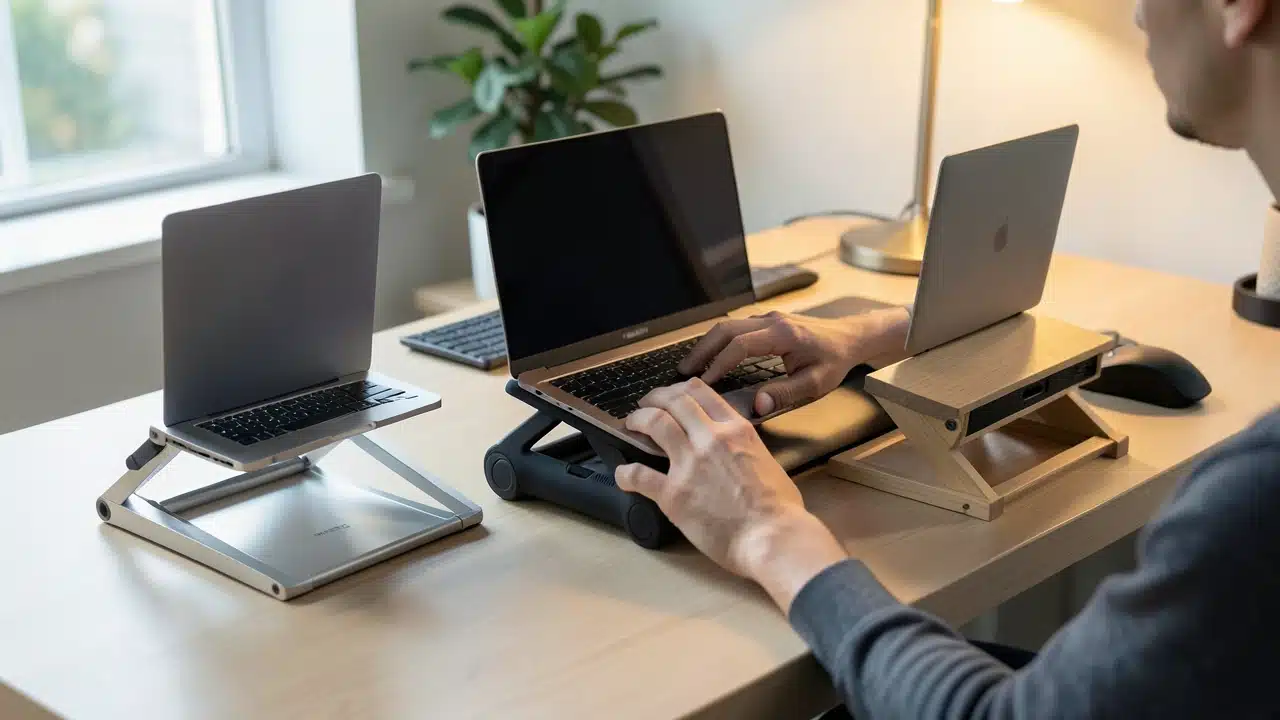
There are several types of laptop stands available, each offering different features. Understanding these can help you choose the best one for your needs and ensure you’re getting the most benefit. The primary function remains the same: to elevate your screen.
But some stands offer more than just height.
- Fixed Height Stands: These are simple and often very sturdy. They hold your laptop at a set height. They are great if you know the exact height you need and don’t plan to change it often. They are usually made of metal or durable plastic.
- Adjustable Stands: These are highly versatile. You can change the height and sometimes the angle. This is ideal if you use your laptop in different locations or with different people. They allow fine-tuning to find that perfect ergonomic position.
- Portable Stands: These are lightweight and foldable. They are perfect for people who travel or move between different workstations. They might not offer as much height adjustment as larger stands, but they are convenient.
- Stands with Cooling Features: Some stands have built-in fans or vents. These help dissipate heat from your laptop. This keeps your device running efficiently and can extend its lifespan. Better cooling means less chance of your laptop slowing down due to overheating.
Ergonomic Considerations Beyond Height
While height is a major factor in answering Does a Laptop Stand Really Reduce Neck Pain and How High Should It Go?, other ergonomic aspects matter too.
When you use a laptop stand, you often need an external keyboard and mouse. This is because the laptop keyboard itself is attached to the screen.
Typing on the laptop keyboard while it’s on a stand can still lead to wrist strain. Using a separate keyboard and mouse allows you to position them at a comfortable height for your arms and wrists.
This setup creates a more complete ergonomic workstation. Your screen is at eye level, and your hands are positioned naturally for typing and using the mouse. This holistic approach maximizes the benefits of using a laptop stand.
It ensures that while you’re solving neck pain, you’re not creating new issues with your wrists or arms. It’s about creating a balanced and comfortable setup.
When to Use a Laptop Stand
The question of Does a Laptop Stand Really Reduce Neck Pain and How High Should It Go? is best answered by considering when you’ll use it.
If you spend more than an hour or two at a time using your laptop, a stand can be very beneficial. This applies whether you’re working, studying, or even just browsing the internet for extended periods.
Long Work Sessions
For professionals who work remotely or in offices with limited desk space, laptops are often their primary tool.
Long hours spent looking down at a screen can lead to chronic neck pain. A laptop stand can transform your workspace from a source of discomfort to a more ergonomic setup.
It allows you to maintain good posture throughout the day. This is crucial for preventing long-term issues.
Students and Remote Learning
With the rise of remote learning, students are spending more time on their laptops than ever before. This can include attending lectures, completing assignments, and collaborating with classmates. A laptop stand can help students maintain focus and comfort during these extended study sessions.
It’s a simple investment that can pay off in better health and improved concentration.
Travel and Mobile Work
For those who work on the go, portable laptop stands are a game-changer. They allow you to create an ergonomic workstation even in coffee shops, airports, or hotel rooms.
While they might not offer the same level of adjustment as a desktop stand, they still elevate the screen enough to make a noticeable difference.
This helps prevent neck pain even when you’re away from your main office.

Potential Downsides and How to Avoid Them
While laptop stands are generally very helpful, there are a few things to be aware of. Understanding these potential downsides can help you use your stand more effectively and avoid new problems.
The Need for External Peripherals
As mentioned earlier, when you raise your laptop screen significantly, the built-in keyboard becomes too high to type on comfortably.
You’ll likely need an external keyboard and mouse. This is an additional cost and takes up more desk space.
However, for serious ergonomic benefits, this is often a necessary step. If you only use your laptop for short periods, you might find it acceptable to use the built-in keyboard, but it’s not ideal for long-term comfort.
Portability vs. Stability
Very lightweight and portable stands can sometimes be less stable. If you’re using a heavier laptop or tend to type vigorously, a flimsy stand might wobble. This can be distracting and even risky for your device.
When choosing a stand, consider its build quality and stability, especially if you plan to move it around frequently.
Finding the Right Angle
While height is key for neck pain, the angle of the screen is important for eye comfort. If your stand doesn’t offer good tilt adjustment, you might still experience glare or have to strain your eyes. Look for stands that allow you to adjust both height and angle to create a fully customized setup.

Making the Switch: Tips for Success
Transitioning to using a laptop stand is usually straightforward. However, a few tips can make the process smoother and ensure you get the most benefit.
First, set up your workstation correctly. Place your laptop on the stand. Position your external keyboard and mouse so your arms are at a 90-degree angle when typing.
Your wrists should be straight. Your feet should be flat on the floor.
Second, adjust the stand to the ideal height. As we discussed, the top of the screen should be at or just below eye level. Take your time to find the sweet spot.Don’t be afraid to make small adjustments throughout the first few days.
Next, take regular breaks. Even with a perfect ergonomic setup, it’s important to move around. Stand up, stretch your neck and shoulders, and walk for a few minutes every hour. Setting up an ergonomic workspace is key to preventing discomfort.
This helps prevent stiffness and fatigue.
Then, be mindful of your posture. A stand helps, but you still need to consciously sit or stand up straight. Avoid slouching, even with your screen at the right height.
Good posture is a combination of your environment and your habits.
Finally, listen to your body. If you still experience pain, reassess your setup. You might need to adjust the height, angle, or placement of your peripherals. Adjusting your screen height can help combat neck pain effectively.
Sometimes, a different type of stand might be a better fit for your specific needs.
| Screen Height | Too low, causes neck strain | At or near eye level, reduces neck strain |
| Head/Neck Posture | Forward head tilt, poor posture | Neutral spine, improved posture |
| Eye Strain | Can be high due to downward gaze | Reduced, screen is at natural viewing angle |
| Arm/Wrist Position | Often awkward due to built-in keyboard | Can be optimized with external keyboard/mouse |
| Overall Comfort | Low, leads to pain and fatigue | High, promotes comfort and productivity |
Frequently Asked Questions Of Does A Laptop Stand Really Reduce Neck Pain And How High Should It Go?
Does a laptop stand really reduce neck pain and how high should it go?
Yes, a laptop stand can significantly reduce neck pain by raising your screen to eye level, which corrects poor posture. The ideal height is when the top of your screen is at or just below your eye level.
What is the best height for a laptop stand?
The best height is when the top of your laptop screen aligns with your natural eye level. This allows you to look straight ahead at your screen without craning your neck.
Do I need an external keyboard and mouse with a laptop stand?
It is highly recommended. When you raise your laptop screen, the built-in keyboard becomes too high to use comfortably, so an external keyboard and mouse allow for proper arm and wrist positioning.
How can I tell if my laptop stand is the right height?
Sit or stand in your usual working position. If you don’t have to tilt your head up or down to see the center of the screen, and your neck feels relaxed, it’s likely the right height.
Can using a laptop stand help with shoulder pain too?
Yes, by improving your overall posture and reducing neck strain, a laptop stand can indirectly help alleviate shoulder pain as well, as the two are often connected.
Are there different types of laptop stands for different needs?
Absolutely. You can find fixed height, adjustable, portable, and even stands with cooling fans, catering to various preferences and usage scenarios.
Final Thoughts
Using a laptop stand is a simple yet effective way to combat neck pain and improve your posture. By adjusting your screen to eye level, you create a more ergonomic workspace that benefits your overall comfort and health. Remember to also consider an external keyboard and mouse for a complete setup.